
Generate invisible characters (blank characters) with our Invisible text generator and paste them anywhere you want. Send empty messages and create blank usernames in a jiffy.
Method 1 - Copy with a button
Click the button above to copy an Invisible character to your clipboard. If this doesn't work on your device, use method 2 to Copy and Paste Blank Space.
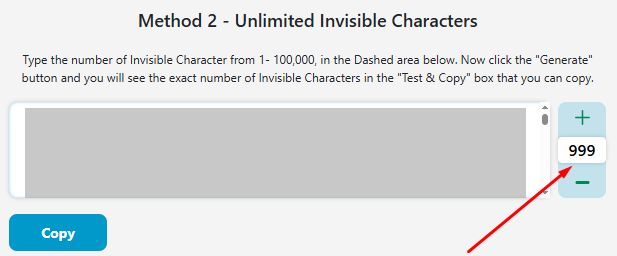
Method 2 - Unlimited Invisible Characters
Type the number of Invisible Character from 1- 100,000, in the Dashed area below. Now click the "Generate" button, and you will see the exact number of Invisible Characters in the "Test & Copy" box that you can copy.
Test and Copy Invisible Characters
Our Invisible Character Generator allows you to create and copy blank characters.
If you’ve ever wanted to send someone a blank message on Instagram, WhatsApp, Discord, or any other messaging app, now is your chance to do it. These apps don’t let you simply press the spacebar a bunch of times and then hit enter. You have to enter a character in order for the message to be valid. That is where our blank character generator comes in.
An invisible character is a character that you can copy and paste but not see with your eyes. It is recognized and acknowledged by computers and applications, but it doesn’t really show up when pasted. The only way to realize if an invisible character is actually there is to select it using your mouse (or by long pressing with your finger, on mobile).
Here is an invisible character between the brackets: (ㅤ). You can’t see it, but if you bring your cursor and select the empty space, you will see that it acts like every other character and gets highlighted.
Here is how you can generate invisible characters using our empty character tool. There are two different methods that you can use:
The first and easiest method that you can use to generate an invisible character is simply to copy with a button. With this method, click any of the provided buttons, and the blank text will be copied to your clipboard.
You can choose how many invisible characters you want to copy: 1, 5, 10, 20, 50, or 100 characters, depending on your needs.
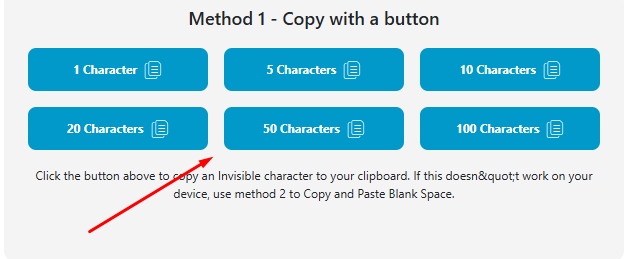
Once copied, you can paste the invisible text anywhere, such as social media, forms, messages, or else.
Using this method, you can generate not just one invisible character, but a whole bunch of them at the same time. Simply enter the number of characters that you wish to generate and then click on the generate button. The characters will be provided in the Test & Copy Invisible Character box, and you can simply copy them from there.
Here are some features of our blank text generator that make it excellent to use:
You can generate the invisible character using two different methods. Each mode has its own benefit, and they are all super easy to use. The availability of the different modes makes our tool user-friendly.
Our blank text tool is completely free to use and doesn’t require any sort of captcha verification beforehand. You don’t have to spend a lot of time generating the blank characters.
The blank characters generated by our tool are valid Unicode characters. They are accepted when entered into chatting apps like WhatsApp and Discord. They are not simple spaces or line breaks.
Here are some situations where you can use an invisible character.
One of the main uses of invisible characters is to send blank messages via apps like WhatsApp. You can copy and paste the characters into the message field and simply press the send button.
Profile names, such as those on WhatsApp, must be filled with at least one character. They can’t be completely blank…well, unless you add an invisible character. You can have some fun creating blank profile names and leaving your friends confused.
In many fields, such as the username or display name, you are not allowed to add a space. To create a space between the letters in these places, you can use a blank character.
Here is a list of the various Unicode characters that are not visible to the naked eye and are used as blank characters.
| Unicode | Description | Html | Example |
|---|---|---|---|
| U+0020 |
Space |
  | [ ] |
| U+00A0 |
No-Break Space |
| [ ] |
| U+2000 |
En Quad |
  | [ ] |
| U+2001 |
Em Quad |
  | [ ] |
| U+2002 |
En Space |
  | [ ] |
| U+2004 |
Three-Per-Em Space |
  | [ ] |
| U+2005 |
Four-Per-Em Space |
  | [ ] |
| U+2006 |
Six-Per-Em Space |
  | [ ] |
| U+2007 |
Figure Space |
  | [ ] |
| U+2008 |
Punctuation Space |
  | [ ] |
| U+2009 |
Thin Space |
  | [ ] |
| U+200A |
Hair Space |
  | [ ] |
| U+2028 |
Line Separator |

 | [ ] |
| U+205F |
Medium Mathematical Space |
  | [ ] |
| U+3000 |
Ideographic Space |
  | [ ] |
| U+2003 |
Em Space |
  | [ ] |
| U+25A0 |
Black Square |
■ | [■] |
| U+0009 |
Horizontal Tab |
	 | [ ] |
| U+000A |
Line Feed |
| [ ] |
| U+000C |
Form Feed |
 | [ ] |
| U+001C |
File Separator |
 | [ ] |
| U+200B |
Zero-Width Space |
​ | [] |
| U+200C |
Zero-Width Non-Joiner |
‌ | [] |
| U+2060 |
Word Joiner |
⁠ | [] |
| U+2061 |
Word Separator |
⁡ | [] |
| U+2062 |
Paragraph Separator |
⁢ | [] |
| U+00AD |
Soft Hyphen |
­ | [] |
| U+034F |
Combining Grapheme Joiner |
͏ | [] |
| U+061C |
Arabic Letter Mark |
؜ | [] |
| U+115F |
Hangul Choseong Filler |
ᅟ | [ᅟ ] |
| U+1160 |
Hangul Jungseong Filler |
ᅠ | [ᅠ ] |
| U+17B4 |
Khmer Vowel Inherent Aq |
឴ | [឴ ] |
| U+17B5 |
Khmer Vowel Inherent Aa |
឵ | [឵ ] |
| U+180B |
FVS1 |
᠋ | [᠋ ] |
| U+180C |
FVS2 |
᠌ | [᠌ ] |
| U+180D |
FVS3 |
᠍ | [᠍ ] |
| U+180E |
MVS |
᠎ | [ ] |
| U+200D |
Zero Width Joiner |
‍ | [ ] |
| U+200E |
Left-to-Right Mark |
‎ | [ ] |
| U+200F |
Right-to-Left Mark |
‏ | [ ] |
| U+202A |
Left-to-Right Embedding |
‪ | [ ] |
| U+202B |
RLE |
‫ | [ ] |
| U+202C |
Pop Directional Formatting |
‬ | [ ] |
| U+202D |
Left-to-Reight Override |
‭ | [ ] |
| U+202E |
Right-to-Left Override |
‮ | [ ] |
| U+202F |
Narrow No-Break Space |
  | [ ] |
| U+2063 |
Invisible Separator |
⁣ | [ ] |
| U+2064 |
Invisible Plus |
⁤ | [ ] |
| U+2064 |
Invisible Plus |
⁤ | [ ] |
| U+2066 |
LRI |
⁦ | [ ] |
| U+2066 |
LRI |
⁦ | [ ] |
| U+2067 |
RLI |
⁦ | [ ] |
| U+2068 |
FSI |
⁨ | [ ] |
| U+2069 |
Pop Directional Isolate |
⁩ | [ ] |
| U+206A |
Inhibit Symmetric Swapping |
 | [ ] |
| U+2800 |
Braille Pattern Blank |
⠀ | [⠀ ] |
| U+206B |
Activate Symmetric Swapping |
 | [ ] |
| U+206C |
Inhibit Arabic Form Shaping |
 | [ ] |
| U+206D |
Activate Arabic Form Shaping |
 | [ ] |
| U+206E |
National Digit Shapes |
 | [ ] |
| U+206F |
Nominal Digit Shapes |
 | [ ] |
| U+2800 |
Braille Pattern Blank |
⠀ | [⠀ ] |
| U+3164 |
Hangul Filler |
ㅤ | [ㅤ ] |
| U+FE00 |
Variation Selector-1 |
︀ | [︀ ] |
| U+FE01 |
Variation Selector-2 |
︁ | [︁ ] |
| U+FE02 |
Variation Selector-3 |
︂ | [︂ ] |
| U+FE03 |
Variation Selector-4 |
︃ | [︃ ] |
| U+FE04 |
Variation Selector-5 |
︄ | [︄ ] |
| U+FE05 |
Variation Selector-6 |
︅ | [︅ ] |
| U+FE06 |
Variation Selector-7 |
︆ | [︆ ] |
| U+FE07 |
Variation Selector-8 |
︇ | [︇ ] |
| U+FE08 |
Variation Selector-9 |
︈ | [︈ ] |
| U+FE09 |
Variation Selector-10 |
︉ | [︉ ] |
| U+FE0A |
Variation Selector-11 |
︊ | [︊ ] |
| U+FE0B |
Variation Selector-12 |
︋ | [︋ ] |
| U+FE0C |
Variation Selector-13 |
︌ | [︌ ] |
| U+FE0D |
Variation Selector-14 |
︍ | [︍ ] |
| U+FE0E |
Variation Selector-15 |
︎ | [︎ ] |
| U+FE0F |
Variation Selector-16 |
️ | [️ ] |
| U+FEFF |
Zero Width No-Break Space |
 | [ ] |
| U+FFA0 |
Halfwidth Hangul Filler |
ﻀ | [ﻀ ] |
| U+FFFC |
Object Replacement Character |
 | [ ] |
| U+133FC |
EGYPTIAN HIEROGLYPH Z015B |
𓮼 | [ ] |
| U+1D159 |
Musical Symbol Null Notehead |
𝄙 | [𝄙 ] |
| U+1D173 |
Musical Symbol Begin Beam |
𝆓 | [𝆓 ] |
| U+1D174 |
Musical Symbol End Beam |
𝆔 | [𝆔 ] |
| U+1D175 |
Musical Symbol Begin Tie |
𝆕 | [𝆕 ] |
| U+1D176 |
Musical Symbol End tie |
𝆖 | [𝆖 ] |
| U+1D177 |
Musical Symbol Begin Slur |
𝆗 | [𝆗 ] |
| U+1D178 |
Musical Symbol End Slur |
𝆘 | [𝆘 ] |
| U+1D179 |
Musical Symbol Begin Phrase |
𝆙 | [𝆙 ] |
| U+1D17A |
Musical Symbol End Phrase |
𝆚 | [𝆚 ] |
| U+E0001 |
Language Tag |
󠀁 | [ ] |
| U+E0020 |
Tag Space |
󠀢 | [ ] |
| U+E0021 |
TAG EXCLAMATION MARK |
󠀣 | [ ] |
| U+E0022 |
TAG QUOTATION MARK |
󠀤 | [ ] |
| U+E0023 |
TAG NUMBER SIGN |
󠀥 | [ ] |
| U+E0024 |
TAG DOLLAR SIGN |
󠀦 | [ ] |
| U+E0025 |
TAG PERCENT SIGN |
󠀧 | [ ] |
| U+E0026 |
Tag Ampersand |
󠀨 | [ ] |
| U+E0027 |
TAG APOSTROPHE |
󠀩 | [ ] |
| U+E0028 |
TAG LEFT PARENTHESIS |
󠀪 | [ ] |
| U+E0029 |
TAG RIGHT PARENTHESIS |
󠀫 | [ ] |
| U+E002A |
TAG ASTERISK |
󠀬 | [ ] |
| U+E002B |
TAG PLUS SIGN |
󠀭 | [ ] |
| U+E002C |
TAG COMMA |
󠀮 | [ ] |
| U+E002D |
TAG HYPHEN-MINUS |
󠀯 | [ ] |
| U+E002E |
Tag Full Stop |
󠀰 | [ ] |
| U+E002F |
Tag Solidus |
󠀱 | [ ] |
| U+E0030 |
TAG DIGIT ZERO |
󠀲 | [ ] |
You can use an invisible character in HTML code to avoid a line break. If using the standard space breaks the line, you can instead use an invisible character. That way, the line will remain continuous.
No, there are no limitations on the number of invisible characters that you can generate using this tool. You can generate the characters in bulk or simply use the one-by-one method as many times as you want.
To send an empty message on WhatsApp, you can simply copy a blank character using the Invisible Character Generator and then paste it into the message area. After that, click on the send button, and the empty message will appear in the chat.